Updated: June 2026 · Senegal Public M3U · Free-to-Air IPTV Sources
This Senegal IPTV Playlist page is made for users who want a clean public M3U link for testing Senegal TV streams in trusted media players. You can open the playlist in VLC first, then use the same URL with Kodi, Firestick, Android TV, Smart TV, iPhone, iPad, or any player that supports M3U playlist links.
Senegal M3U Playlist
Public · Free-to-Air
DMCA-Friendly
Senegal IPTV Playlist M3U URL
Copy the public Senegal M3U playlist link below and test it with VLC, Kodi, Android TV, Firestick, Smart TV, iPhone, iPad, or another M3U-compatible IPTV player.
Public Playlist
https://iptv-org.github.io/iptv/countries/sn.m3u
Last checked: June 2026 · Public Senegal M3U sources only · No premium, sports, PPV, or paid TV streams
What Makes This Senegal Playlist Public?
This page is focused on public and free-to-air M3U sources only. Popular Playlist does not sell IPTV subscriptions, host video streams, provide private servers, unlock premium channels, or promote copyrighted TV packages.
- Public Senegal M3U playlist link
- Works with M3U-compatible IPTV players
- Designed for legal playlist testing and setup help
- No premium sports, PPV, DAZN, beIN, or paid TV access
- Copyright concerns can be reviewed through the DMCA process
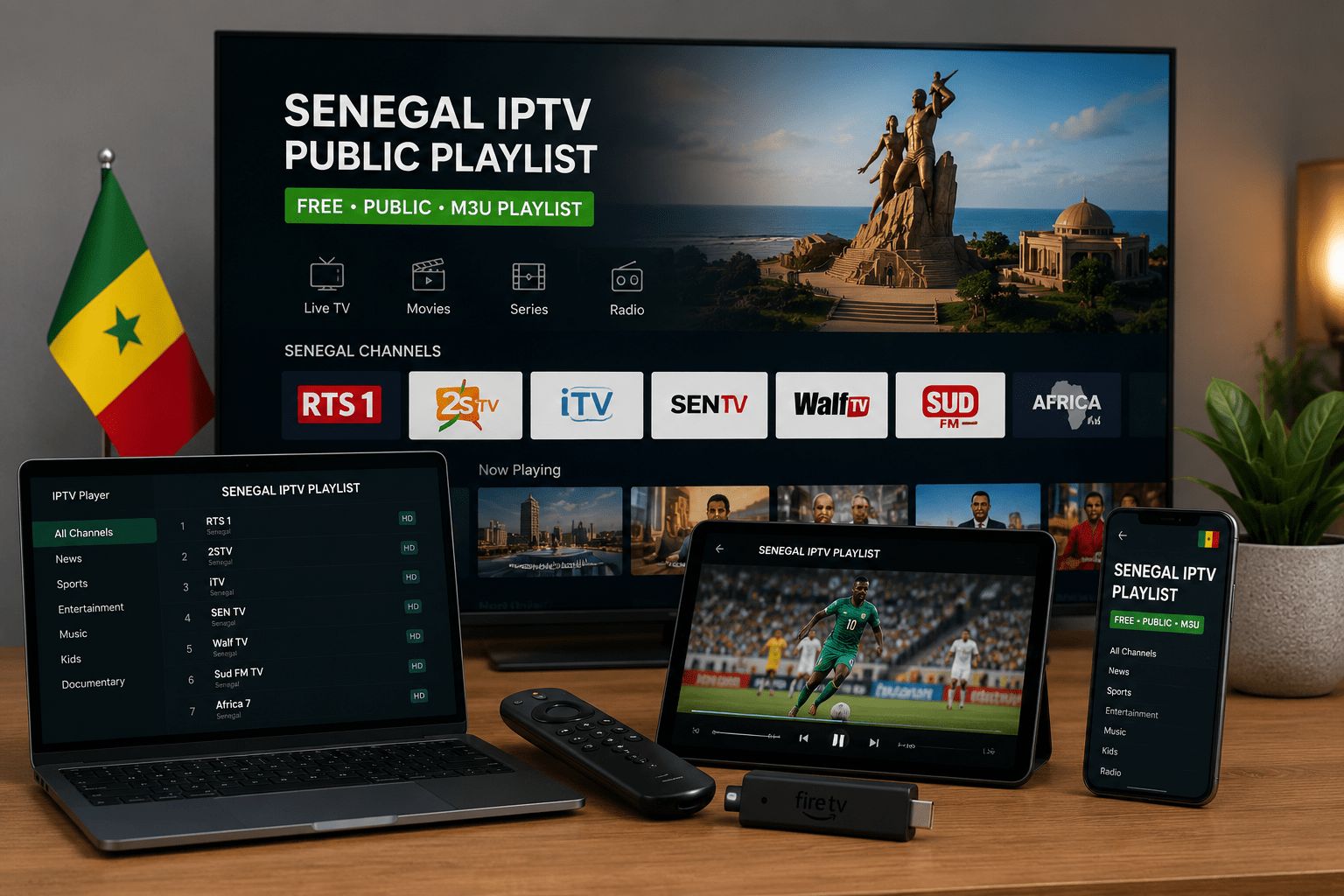
Start With VLC Before Using a TV App
Before you add the Senegal IPTV playlist to a Firestick or Smart TV app, it is better to test the link on desktop with VLC. This gives you a quick answer: the playlist either opens, loads partially, or does not respond because the public source is offline.
Fast VLC Test
Open VLC, choose “Open Network Stream,” paste the Senegal M3U URL, and press play. If it works there, you can move the same link to Kodi, Android TV, Firestick, Smart TV, iPhone, or iPad.
Best Players for Senegal M3U Playlist
The same playlist URL can behave differently depending on the player. Some apps are better for quick testing, while others are better for TV-style channel browsing.
Best for a quick first test before using TV apps.
Good for TV-style playback and larger screens.
Works with apps that support M3U URL import.
Useful when your IPTV app accepts playlist URLs.
How to Use the Senegal IPTV Playlist
- Copy the Senegal M3U playlist URL from the box above.
- Open VLC, Kodi, TiviMate, IPTV Smarters, or another trusted IPTV player.
- Choose “Open Network Stream,” “Add Playlist,” or “Add M3U URL.”
- Paste the Senegal playlist link.
- Save or open the playlist and wait for public channels to load.
- If the playlist does not work, test the same URL in VLC before changing apps.
Browse More Free Public IPTV Playlists
Want to test other country playlists too? You can browse more public, legal, and free-to-air M3U pages from the Countries section.
About Sports, Football, and Premium Searches
Some users search for terms like free popular IPTV playlist sports, football, DAZN, or live sport. This Senegal playlist page is not built for premium sports packages, paid football channels, PPV events, or copyrighted subscription-only content.
Not Included on This Page
- Premium football channels
- Paid sports packages
- PPV events
- DAZN, beIN, or subscription-only networks
- Cracked IPTV apps or reseller access
- Unauthorized copyrighted streams
What Channels Can Appear?
Public M3U playlists can change at any time. The Senegal playlist may include public streams when available, but it should not be treated like a guaranteed TV package.
- Public information channels
- Local or regional Senegalese streams
- Culture or community channels
- General free-to-air content when available
- Temporary public streams that may go offline later
When the Senegal Playlist Does Not Load
If the playlist does not load, the issue is not always your IPTV app. Public streams can disappear, move to a new URL, block external playback, or go offline without warning.
Try These First
- Copy the full M3U URL again
- Test the playlist in VLC
- Refresh the playlist inside your IPTV player
- Try a different player or device
- Check again later if the public source is temporarily offline
Copy the Senegal M3U Playlist Again
Use this second copy box if you want to grab the playlist link after reading the setup notes.
https://iptv-org.github.io/iptv/countries/sn.m3u
Tip: Test the Senegal playlist in VLC first if it does not load in your TV app.
Frequently Asked Questions
Is the Senegal IPTV playlist free?
Yes. The Senegal playlist link on this page is intended for public and free-to-air M3U sources. It is not a paid IPTV subscription.
Does Popular Playlist host Senegal IPTV channels?
No. Popular Playlist does not host IPTV servers or video streams. This page only helps users open a public M3U playlist with compatible players.
Can I use the Senegal M3U playlist on VLC?
Yes. VLC is usually the easiest way to test the playlist before adding it to a TV app.
Can I use this playlist on Firestick?
Yes, if your Firestick IPTV app supports M3U playlist URLs. If playback fails, test the same URL in VLC first.
Does this page include premium sports or football channels?
No. This page does not include premium sports, football packages, PPV events, DAZN, beIN, or paid subscription-only channels.
Why do some public channels stop working?
Public streams can move, expire, go offline, or block external playback. This can happen even when the M3U playlist URL still opens.
What is the best player for the Senegal playlist?
VLC is best for testing. Kodi, TiviMate, IPTV Smarters, Firestick apps, Android TV apps, and Smart TV IPTV apps can also work if they support M3U URLs.